ODNA® Talent solutions

Hire with insight.
Develop with direction.

Choose or build job-specific assessments. Review candidate integrity. Put reports, analytics, and ask ODNA to work in your hiring and development decisions.

Bring us one hiring roleExplore the solutions

01 / Choose the assessment approach

Start with what
the work requires.

A familiar job title can hide very different responsibilities. Choose an established assessment when it fits, or configure the measures around your role.

70+

Pre-built assessments

An established starting point for organizations that know the type of assessment they need. Review the fit with the role, work environment, and intended use before delivery.

Your starting pointA ready-built assessment selected for the hiring or development question.

Explore assessment options
200+

Validated scales to configure from

Use the job description, ODNA® Role Blueprint, manager input, and company-defined criteria to focus the assessment on what matters for this position.

Your starting pointA role-specific scale recommendation for human review and approval.

Explore job-specific configuration
What can be measured?

Behaviors · Cognitive abilities · Interests · Judgment · Integrity factors · Skills

The selection depends on the role and purpose.

02 / ask ODNA before assessment

Give the builder
a role to work from.

Assessment Architect Mode

Start with your job information. ask ODNA helps identify role requirements, recommends relevant scales, and explains why each recommendation fits.

  • Organize the role’s responsibilities and success requirements.
  • Review a focused scale recommendation and its rationale.
  • Edit and approve the configuration before assessment delivery.

What you receiveA proposed assessment direction your team can review, adjust, and approve.

Explore Assessment Architect Mode

Watch how role information guides the assessment setup.

See where the ODNA Role Blueprint fits

03 / Candidate integrity

Protect the process.
Review the signals.

Remote assessments need safeguards and a responsible way to review concerns. ODNA Talent combines content protection with information that helps administrators decide where follow-up is needed.

Copy-and-paste protection
Help limit copying of assessment content into outside tools.
External click tracking
Review activity when a participant leaves the assessment window.
Candidness indicators
Identify response patterns that may need closer review.
Optional ID verification
Add identity review when the role or assessment setting calls for it.
Explore candidate integrity safeguards

Indicators provide review context. They do not prove misconduct or automatically disqualify a candidate.

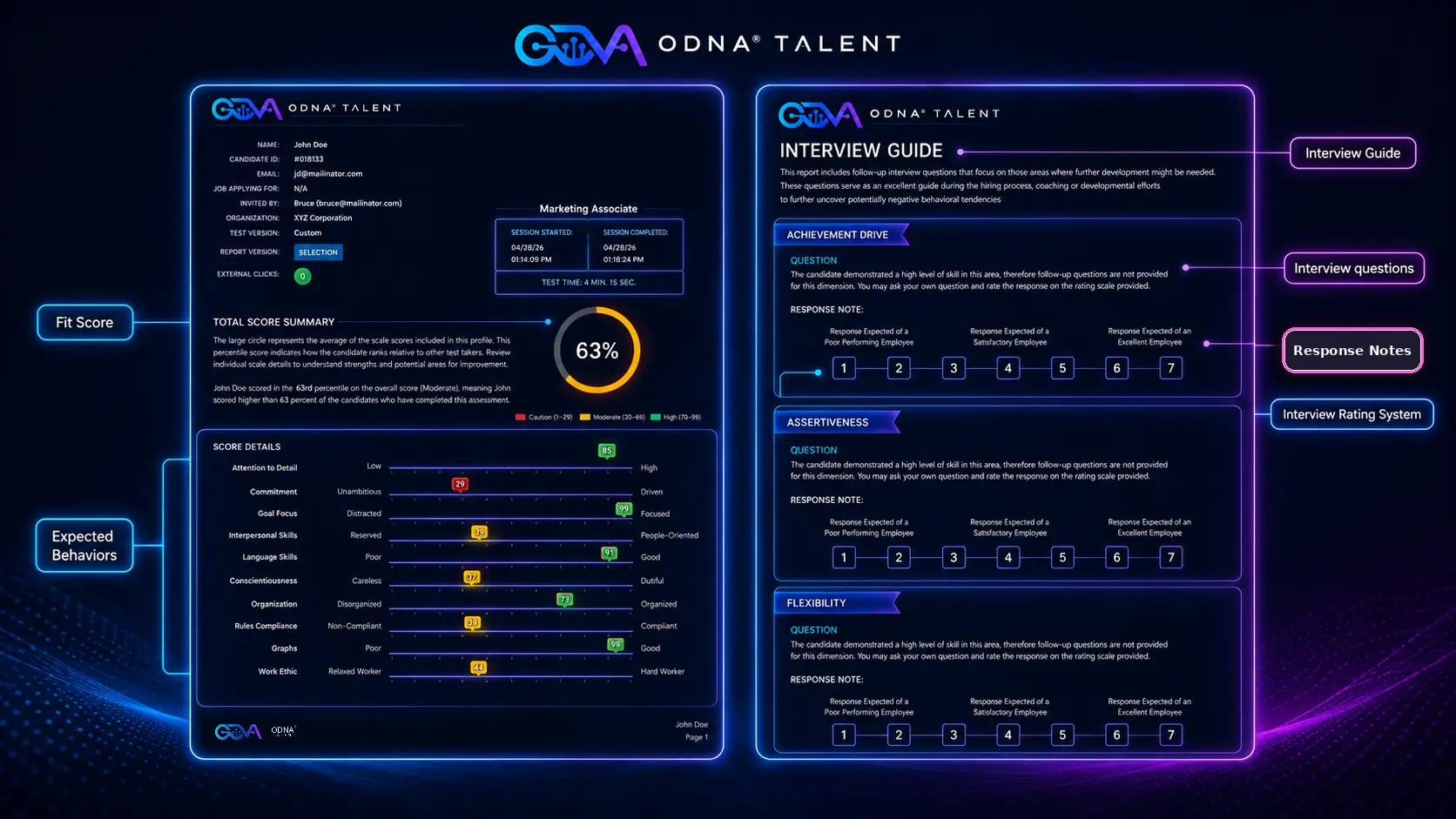
Excerpt of an ODNA Talent sample report showing session times and external click activity
Session information and external click activity in an ODNA Talent sample report. View full-size sample
Context for a better follow-up.

Review the circumstances, ask for clarification, and consider the other job-related evidence.

Learn about optional ID verification

See how ask ODNA supports the work after assessment.

05 / ask ODNA after assessment

Turn a report into
a useful conversation.

Report Analysis Mode

Ask questions about assessment findings and prepare the material managers need for the next interview, review, or coaching conversation.

  • Summaries of findings and role-related considerations.
  • Interview questions, follow-up, and response notes.
  • Candidate comparisons and points to clarify.
  • Onboarding and development guidance.

What you receiveDraft guidance and practical next steps for your team to review before use.

Explore Report Analysis Mode

06 / Analytics & candidate comparison

Bring the evidence
into one workflow.

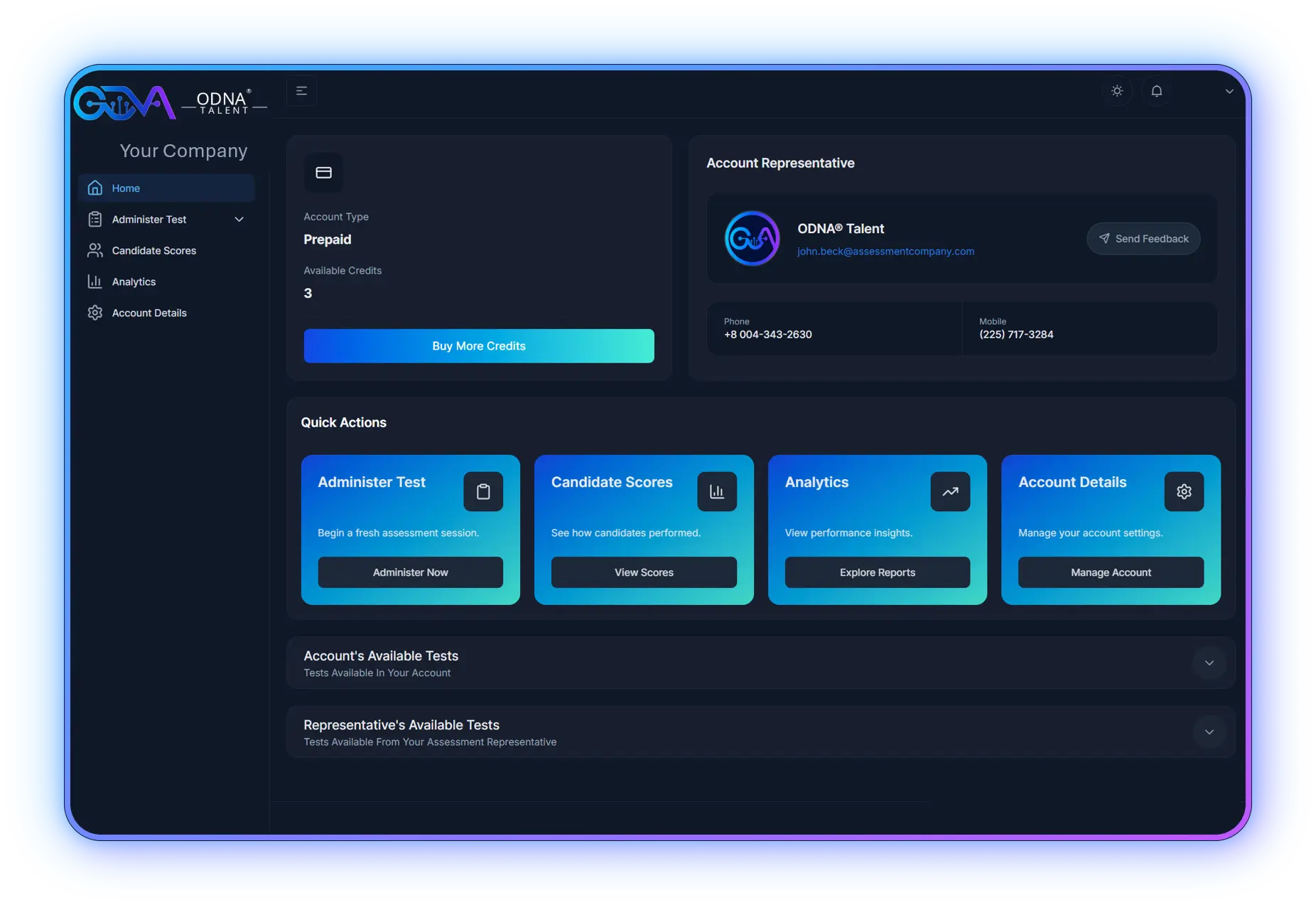
Administer assessments, review candidate scores, and access analytics from the ODNA Talent platform.

ODNA Talent platform quick action: Administer Test
ODNA Talent platform quick action: Candidate Scores
ODNA Talent platform quick action: Analytics
ODNA Talent platform quick action: Account Details
ODNA Talent platform navigation excerpt.

Compare candidates for the same role

Review similarities, differences, and scale-level context against common position requirements.

Explore candidate comparison

Prepare decisions with context

Use reports and summaries to focus the review. Combine assessment evidence with interviews, references, and relevant work evidence.

Explore the platform

Carry findings into development

Choose priorities, define manager support, and set checkpoints for onboarding or ongoing coaching.

Explore development planning

08 / Delivery & implementation

Fit the tools
to your process.

Define the role, intended use, reviewers, and reporting needs. Then choose the delivery and access approach that fits your organization.

Explore the complete workflow

Assessment delivery

Deliver assessments by email or designated link and send reports to authorized recipients.

Exports & configured connections

Export score-summary data for internal analysis and EEO reporting. API-based ATS or HR connections require technical discovery to confirm scope, security, timing, and cost.

Human review throughout the process

  1. ODNA® Role Blueprint
  2. Assessment Architect Mode
  3. Human Review and Approval
  4. Assessment Delivery
  5. Report Analysis Mode
  6. Human Decision

Frequently asked questions

Find your starting point. Know what comes next.

Answers about assessment options, integrity, ask ODNA, and your existing process.

Can we choose a ready-built assessment?+

Yes. ODNA Talent offers 70+ pre-built assessments. When an established option fits the role and intended use, it provides a starting point. When the role calls for a more focused configuration, your team can use role information and ask ODNA recommendations to select from 200+ validated scales. An authorized person reviews and approves the configuration.

What is the difference between the two ask ODNA modes?+

Assessment Architect Mode supports the work before delivery: reviewing role information, recommending relevant scales, and explaining the recommendations. Report Analysis Mode supports the work after assessment: summaries, interview questions, comparisons, and development guidance. Both modes require human review.

Do candidate integrity indicators prove cheating?+

No. External click activity, candidness indicators, and identity-verification information provide context for review. They are not proof of misconduct or automatic reasons to disqualify a candidate. Authorized users consider the circumstances and determine appropriate follow-up.

Can we use the solutions with current employees?+

Yes. Appropriate assessments and reporting can support onboarding, coaching, leadership development, succession conversations, and role transitions. The measures and intended use should reflect the employee’s role and development goals.

How does ODNA Talent fit our current hiring process?+

Assessments can be delivered by email or designated link, reports can be sent to authorized recipients, and score-summary data can be exported. Configured API connections with recruiting or HR systems require technical discovery to confirm endpoints, security, data, timing, and cost. Assessment evidence supports interviews, references, work evidence, and human judgment.

Start with your business need

Bring us one role.
Let’s define the right approach.

We’ll review the role, its performance requirements, and your current evaluation process, then recommend what should be measured and a practical next step.

Request a Hiring Role ReviewDiscuss leadership or employee development

Assessments support decisions. They do not replace human judgment or guarantee hiring, performance, or business results.